Gemini OmniGemini Omni
Loading

Gemini Omni

How to create effective prompts with Gemini Omni

What to think about while writing prompts

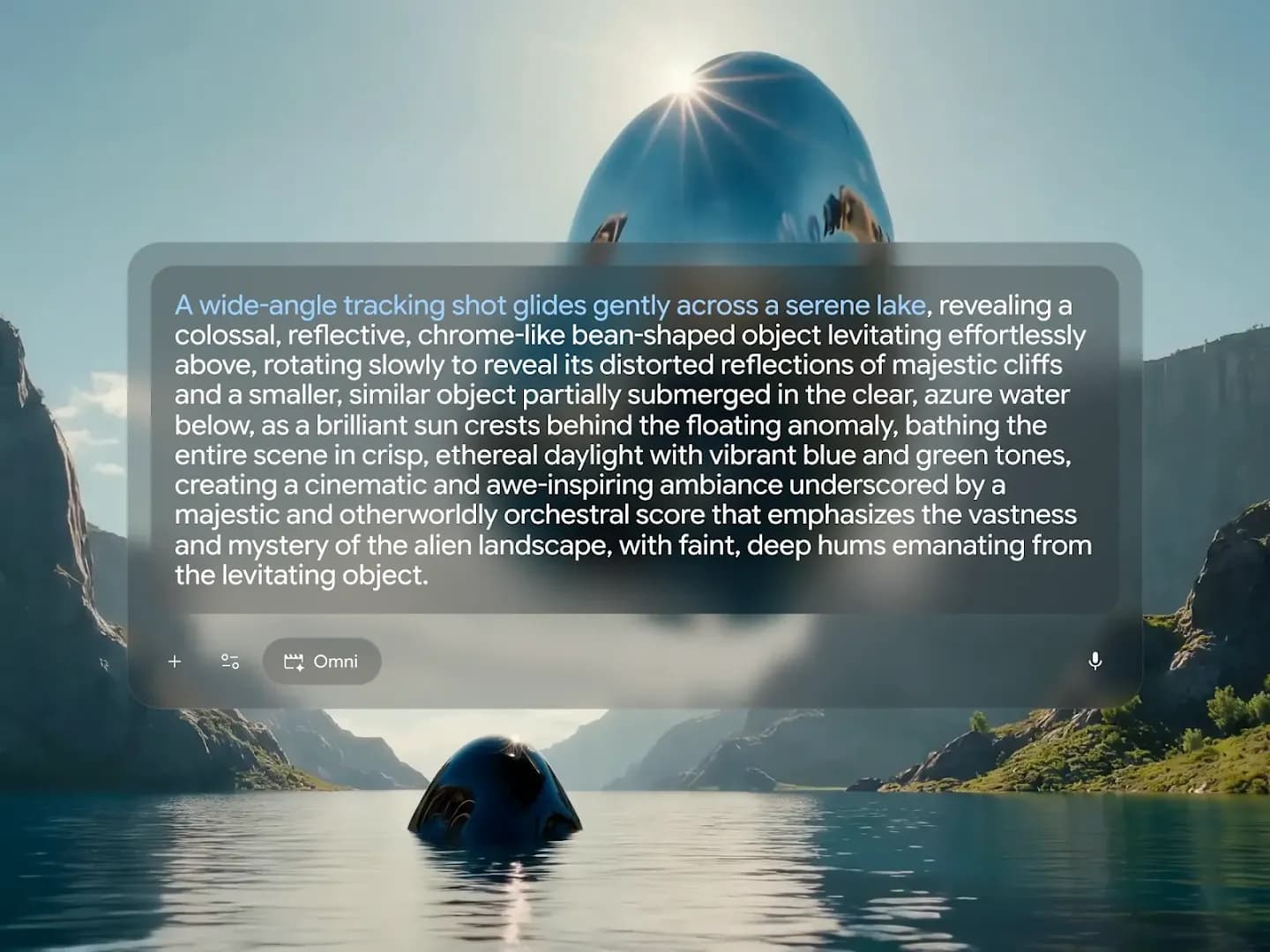
The more detail you add, the more control you’ll have over the final output. Use a mix of the elements below to create results that better reflect your imagination.

Shot framing and motion — Gemini Omni prompt example

Edit through natural conversation

Think of Gemini Omni like Nano Banana – but for video. Build and fine-tune your creation at any step with natural language.

Edit iteratively

Ask Gemini Omni for a specific update, like a background change or new caption, without needing to prompt your entire scene again.

Omni will preserve your video across multiple amends — keeping what works, and allowing you to focus on what isn't.

Input video
Prompt: Change the butterfly to a bee
Prompt: Change the bee into a small swarm of fireflies

Edit how your camera works

Change the camera angle, point of view, and movement through natural conversation.

Input video
Change the camera angle to be over the violinist's shoulder.

Change the action

Ask Gemini Omni to change how your scene moves and animates. Or ask it to sync two different inputs — like pairing the lights of a building with the beats of a soundtrack.

Input video
Prompt: The lights of the apartments start turning on in sync with the music.

Apply real world knowledge

Use Gemini Omni’s knowledge of history, science, and culture to create output that looks, and feels, real. You don’t need to over-explain – you just need to ask.

World understanding

With Veo, you need to share precise instructions to get the best results. But with Gemini Omni, you don’t have to be as prescriptive with your prompt. Instead, tell Omni what you want to create – and watch the model’s reasoning and world knowledge bring the details to life.
Text rendering

Choose your type, placement, animation, and exposure. Gemini Omni doesn’t just allow you to render text more accurately – but to create it in sync with your visuals.

Reference complex actions

When you refer to a complex action Gemini Omni understands your intention, and how this action should be applied across your video. You don’t need to describe it across every frame.

Direct your camera

Prompt Gemini Omni to follow specific videography directions. If you want a continuous shot, ask for 'one continuous shot' or 'oner'. Try out specific angles – like 'static', 'locked off', or 'fixed'.

Explore different movements, like 'push in', 'punch in', or 'dolly zoom'. Want a particular type of camera? No problem – try 'natural smartphone zoom', 'film camera', or 'webcam style'.

Input video

Reference anything

Reference and combine more ingredients to maintain control and consistency over your scene

Combine any input

Reference any kind of media. Combine multiple elements together to create your scene – including images, videos, text, and audio.

Input video
Gemini Omni prompt guide: reference image of hummingbird
Input image
Input audio
Gemini Omni prompt guide: text prompt combining video image and audio
Prompt

Apply new styles

Want to reimagine how a scene looks, while maintaining the original motion and details? Ask Gemini Omni to apply a new style – like anime, claymation, or watercolour.

Input video

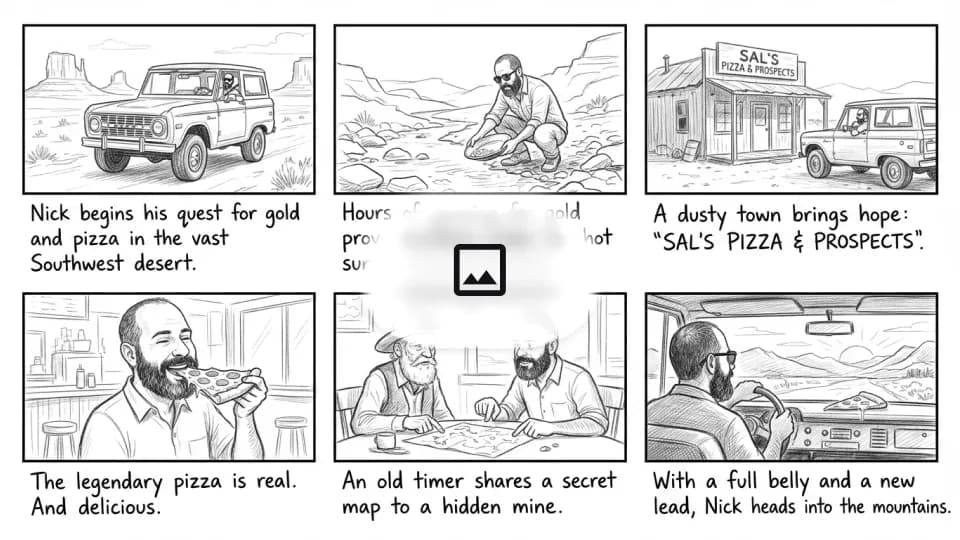
Add a storyboard

Already know the narrative arc of your video? Share a visual storyboard with Gemini Omni to generate a video based on your key beats.

Gemini Omni prompt guide: storyboard reference portrait of character
Input image
Gemini Omni prompt guide: six-panel pencil storyboard reference
Input image

Keep your scene consistent

Want to keep a character, object, or environment consistent? Add a reference – from real-life or created through Nano Banana – and Gemini Omni will use it across your scene.

Input video
Prompt: Change the ships to be made from white origami paper.
Prompt: Change the astronaut to a sea anemone.
Prompt: Change the small ships to stingrays.

Try Gemini Omni

These tips will help you craft a great prompt. You can also refine and expand your ideas in the Gemini Omni generator on geminiomniai.co.

Gemini OmniGemini Omni

© 2026 Gemini Omni. All rights reserved.

Gemini Omni is an independent multimodal video generation service. “Gemini” is a trademark of Google LLC; this site is not affiliated with, endorsed by, or sponsored by Google. The Gemini Omni model and its outputs are independently developed and operated.